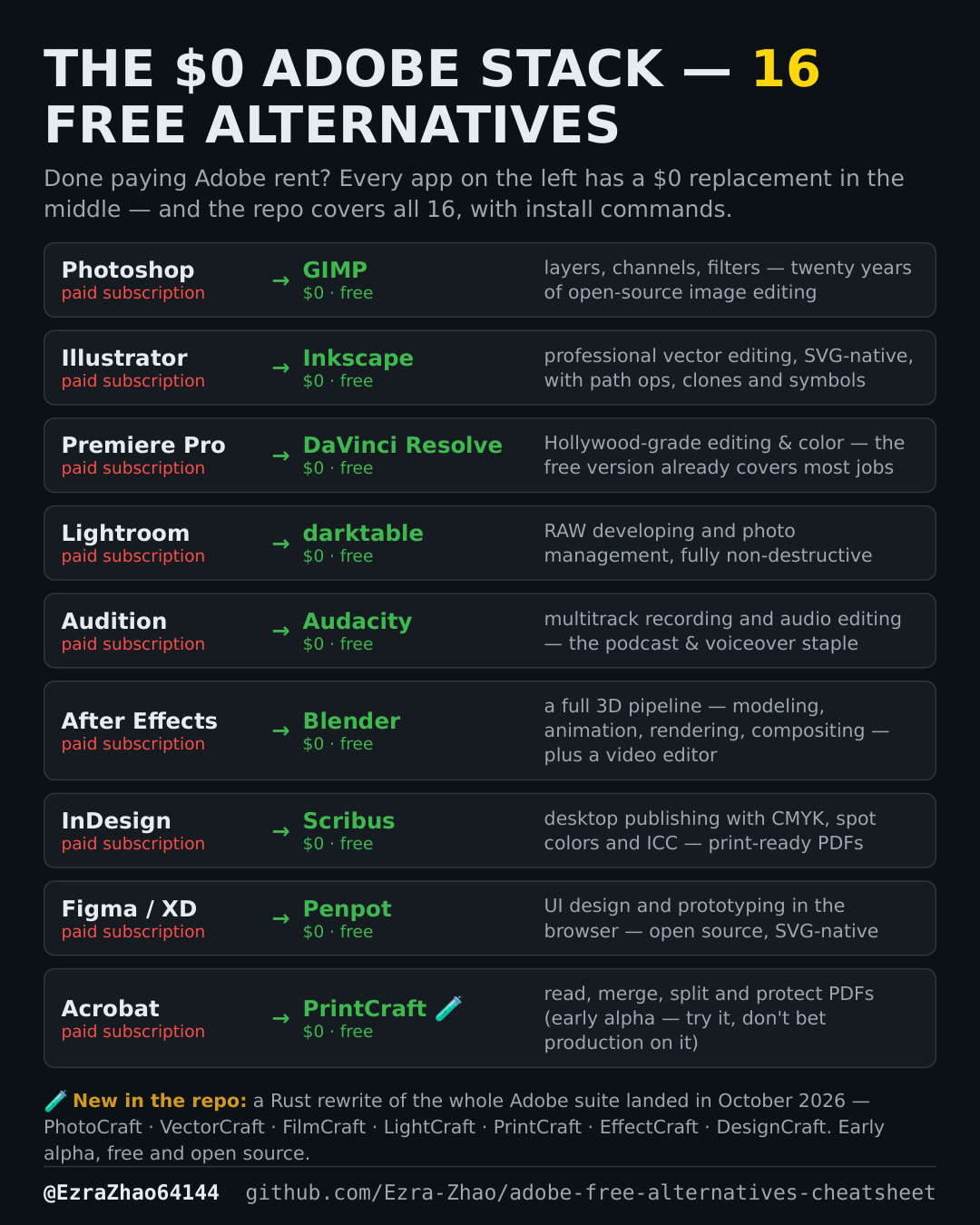
Cheatsheet Pages / Adobe Free Alternatives
How to install the free Adobe alternatives on Linux
The cheatsheet's install commands are Homebrew (macOS) — on Linux the same tools come from apt.
In the cheatsheet, the flask mark means early alpha (it runs, but do not bet production work on it) and the check mark means mature and stable. Every alternative listed is free; the saving is the Adobe subscription you stop paying.
> Linux 用户:macOS 的 `brew install --cask X` 对应 `sudo apt install <小写包名>`(如 `sudo apt install gimp`)。Good to know
The cheatsheet's own note (Chinese, above): a macOS brew install --cask X corresponds to sudo apt install <lowercase package name> on Linux — for example sudo apt install gimp.